Upgrading Drupal 8, 9 or 10 to Drupal 11: A Comprehensive Guide
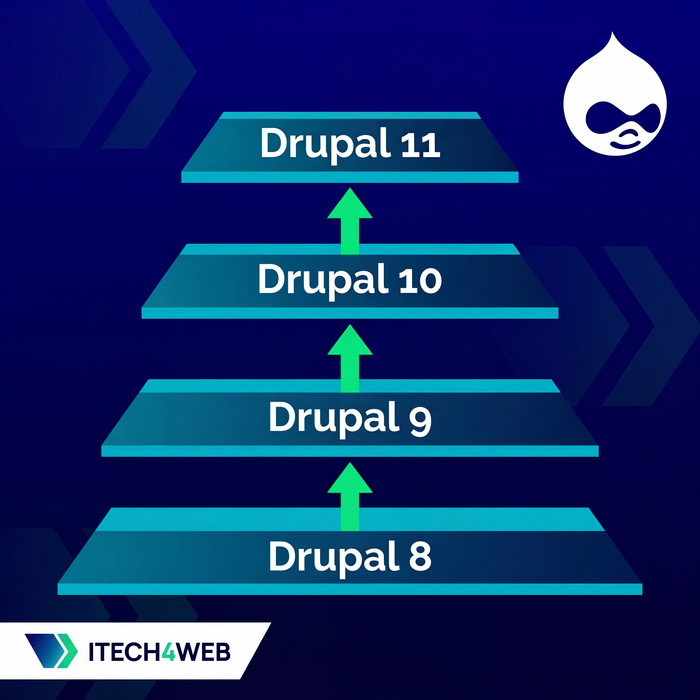
Table of Contents:
If you're running a Drupal 8, 9 or 10 site and need to get to Drupal 11, there is no single jump. You move one major version at a time, and each hop has a minimum starting version. The deadline matters now: Drupal 10 reaches end of life on December 9, 2026, and Drupal.org makes no new Drupal 10 releases after that date, security fixes included. Drupal 8 and Drupal 9 are already unsupported. This guide walks through the path, the checks that catch most problems before they reach production, and the steps we run on real upgrades.
Understanding the Upgrade Path
Each major version only accepts upgrades from a recent release of the previous one, because old update functions are removed from each new major version. The minimums set by Drupal core are:
- Drupal 8 to Drupal 9: the site must be on Drupal 8.8.0 or later (8.9.x preferred).
- Drupal 9 to Drupal 10: the site must be on Drupal 9.4.4 or later (9.5.x preferred).
- Drupal 10 to Drupal 11: the site must be on Drupal 10.3.0 or later; the latest 10.x release is the safest starting point.
So a site on Drupal 8.6 goes 8.6 → 8.9 → 9.5 → latest 10.x → 11. A site already on a current Drupal 10 makes one hop. The principle does not change: update to the latest release of your current major version first, make sure the site is healthy there, then take the next step.
Plan the target as well as the start. Drupal 11.4 is the current release line; 11.3 receives security fixes until the week of December 7, 2026, and Drupal 12 is scheduled for that same week. Drupal 12.0 will require PHP 8.5, so for most sites the sensible goal today is the latest Drupal 11, with Drupal 12 as a later, separate step.
Platform requirements for Drupal 11
- PHP 8.3 or newer. PHP 8.3 and 8.4 work on every Drupal 11 release; PHP 8.5 is supported only from Drupal 11.3. Drupal 10 still allowed PHP 8.1 and 8.2, so many hosts need a PHP upgrade before the code upgrade.
- Database: MySQL 8.0, MariaDB 10.6, PostgreSQL 16 or SQLite 3.45 or newer.
- Drush 13 and a current Composer 2.
Check these on the real hosting, not only on your laptop. A host that cannot run PHP 8.3 blocks the whole project, and that is better known in week one than on launch day.
Back to topPreparing for the Upgrade
Start with the code you already have. Bring core and contributed modules to their latest releases within your current major version (composer update within the constraints of your composer.json), run database updates, and confirm the site works. Upgrading from a site that already has pending updates or errors only mixes old problems with new ones.
Then audit what is installed. Projects collect modules that were tried once or replaced long ago. Uninstall the ones you no longer use and remove them from composer.json. Every module you remove is one less compatibility question.
Finally, check the core modules that left core. Drupal 10 removed Aggregator, CKEditor 4, Color, HAL, Quick Edit, RDF and the Seven, Bartik and Classy themes. Drupal 11 removed Actions UI, Activity Tracker (Tracker), Book, Forum, Statistics and Tour. If your site uses any of them, either stop using the module before the upgrade or install its contributed replacement while you are still on the older version, so the code upgrade itself does not remove something the site depends on.
If you're unsure what is safe to remove, or which of your modules have a Drupal 11 release, iTech4Web can help: our Drupal upgrade service starts with a free review of your site and a written quote.
Back to topHandling Incompatible Modules
Most popular contributed modules already have Drupal 11 releases. For the rest, work through the options in this order:
- Check whether you still need it. Some modules are obsolete because core now does the job. Advanced CSS/JS Aggregation (AdvAgg) is a good example: its project page says it is obsolete with Drupal core 10.1 and later and recommends uninstalling it, because core's own asset aggregation was rewritten in 10.1. Uninstall such modules before the upgrade instead of porting them.
- Look for a replacement. Many abandoned modules have a maintained successor; the project page or issue queue usually says so.
- Use a compatibility patch as a temporary bridge. If the module is still needed and its issue queue has a Drupal 11 compatibility merge request, the Lenient Composer plugin lets Composer install the current release on Drupal 11, and you apply the patch with your usual patching setup. Drupal.org documents the plugin as a tool for working ahead of official releases, so record the issue link next to the patch, follow the issue, and remove both as soon as an official release is out.
- Take ownership. If none of the above works, move the module into your custom code, or offer to co-maintain it on Drupal.org. Either way, someone on your side now owns its security updates.
Avoid pointing Composer at an issue fork branch as if it were a release. A branch can change or disappear at any time, and nobody reviews what lands in it.
Back to topCritical Version-Specific Considerations
Some changes between versions need attention regardless of your modules. Knowing them in advance saves hours of debugging.
Path Alias Module (Drupal 8.8+)
In Drupal 8.8 path aliases became entities provided by a new core module, path_alias. The module is installed and existing aliases are converted automatically during the update. Verify afterwards that aliases resolve correctly, especially if custom code reads or writes aliases directly.
Claro Admin Theme (Drupal 9.4+)
Drupal 9.4 made Claro the default administration theme for new sites. Switching to Claro while you are still on Drupal 9 shows you early which admin customisations depend on Seven.
Seven Admin Theme Removal (Drupal 10)
Seven was removed from core in Drupal 10. If your editors depend on it, the contributed seven project exists, but treat it as a bridge: the upgrade is a good moment to move editors to Claro or Gin.
CKEditor 5 Migration
The move from CKEditor 4 to CKEditor 5 is usually the most visible change for editors. CKEditor 5 arrived as experimental in Drupal 9.3, became the default in 9.5, and is the only editor in Drupal 10 and 11 core. Do the switch on Drupal 9.5: Drupal converts most text format settings automatically and reports what it could not convert, and you can still roll back if a format breaks.
Review every text format after the switch. CKEditor 5 has a different plugin system, so custom buttons and some contributed CKEditor 4 plugins need replacements. The free CKEditor 5 Plugin Pack covers several common needs, for example word and character count. The contributed CKEditor 4 module can bridge a Drupal 10 upgrade, but CKEditor 4 no longer receives free security updates, so plan to leave it quickly.
Back to topUpgrading Custom Code
Custom modules and themes must be updated to the APIs of the target version. Two tools do most of the work:
- Upgrade Status scans custom and contributed code and lists deprecated API use and missing compatibility declarations for the next major version. Install it on the version you are upgrading from, and remove it before the code upgrade.
- Drupal Rector rewrites many deprecated patterns automatically. Review its changes like any other code change; it does not catch everything.
A practical loop: run Upgrade Status, let Rector fix the common patterns, fix the rest by hand, and repeat until the report is clean. Do not forget the core_version_requirement line in each custom module's .info.yml, and check custom themes for Twig and library changes. After the upgrade, PHP CodeSniffer with the Drupal coding standards helps tidy up what remains.
The Modern Admin Experience with GIN
An upgrade is a good time to improve the editors' daily tool. Gin is a contributed admin theme built on Claro, with a cleaner layout and options such as a dark mode. It supports Drupal 10 and 11. Treat it as an optional improvement after the upgrade works, not as part of the critical path, and let editors try it before you make it the default.
Back to topThe Upgrade Process in Practice
Never run a major upgrade for the first time on production. The approach that works for us is a repeatable rehearsal on a copy of the site, run as many times as needed until it passes cleanly, and only then the real upgrade.
1. Back up and set up a copy
Take a full backup of the database and files, confirm you can restore it, and set up a local or staging environment that matches production: same PHP version, database version and services. We use DDEV for this.
2. One git branch per milestone
Create a branch for each step, for example d9.5, d10 and d11. Each branch holds what that version needs: composer.json, composer.lock, the PHP version in .ddev/config.yaml, and the exported configuration. Switching steps becomes a checkout, and every step is reproducible.
Build each branch once by hand. Change the Composer constraints, update core and Drush together (for Drupal 11: composer update "drupal/core-*" drush/drush --with-all-dependencies, because Drush and core must agree on the Symfony version), run drush updatedb, and only then export the configuration with drush config:export and commit it. The order matters: the rehearsal script below runs drush deploy, which imports configuration, and an export taken before the update would quietly undo the configuration changes the update hooks just made.
Drupal 11 also adds a Composer plugin, symfony/runtime, that Composer refuses to run until you allow it: composer config allow-plugins.symfony/runtime true. Allow it in every branch, the older ones included. Otherwise the second run of the rehearsal stops, because the plugin is still installed from the previous run's Drupal 11 step when you switch back to the first branch.
3. Script the rehearsal
Put the sequence in a script or Makefile so every run is identical and the script itself documents the upgrade. An example with DDEV for a site starting on Drupal 9; we run this exact target on a test site that goes from Drupal 9.5 to Drupal 11.4 in under two minutes:
upgrade-rehearsal:
	# Start from the same database every time
	ddev snapshot restore before-upgrade
	# Step 1: latest Drupal 9
	git checkout d9.5
	ddev restart
	ddev composer install
	ddev drush deploy
	# Step 2: Drupal 10
	git checkout d10
	ddev restart
	ddev composer install
	ddev drush deploy
	# Step 3: Drupal 11
	git checkout d11
	ddev restart
	ddev composer install
	ddev drush deploy
Keep the Makefile itself out of the branches (for example in .git/info/exclude), so the same file stays in place while the script switches branches. drush deploy runs database updates, imports configuration, rebuilds caches and runs deploy hooks in the right order. Because each branch sets its own PHP version in .ddev/config.yaml, ddev restart switches PHP with the code. If the site uses Redis or Memcache, clear the cache backend between steps too. In a local DDEV project that cache server belongs to this site only, so clearing it completely is harmless; on a shared server, never run redis-cli FLUSHALL, because it deletes the keys of every database on that Redis server, not just this site's cache.
4. A smaller database for fast iterations, then a full one
On a large site, a full upgrade run can take hours. For the first iterations you can use a reduced copy of the database with most content deleted but the content types, fields and configuration kept. It runs in minutes and is useful for fixing code, module and configuration problems.
It has a limit you must not forget: an empty database does not test the updates that change data. Update hooks that convert field values, aliases or text formats have nothing to work on, so their problems stay hidden. Always run the final rehearsals on a full, recent copy of production, check content and editor workflows on it, and time it. That timing tells you how long the maintenance window must be.
5. Test, then plan the cutover
After each successful run, test what matters to the business: forms and their notifications, search, logins and roles, editor workflows, integrations and scheduled jobs, plus a check that no pages or URLs disappeared. drush config:status should report no differences, and drush updatedb:status no pending updates. For the real upgrade, agree on a content freeze, take a fresh backup right before you start, run the same script against production data, and keep the old release and database ready.
6. Have a rollback plan
Decide before launch day what makes you roll back and how. Usually that is restoring the pre-upgrade database and deploying the previous release, which takes minutes if it was prepared and hours if it was not. Write down every module that needed special handling and every manual step; that record is what makes the production run predictable.
Back to topWhat If You Miss the December 9, 2026 Deadline?
A Drupal 10 site does not stop working on December 10. What stops is security coverage: any vulnerability found in Drupal 10 core after that date stays unpatched on your site, and contributed modules will gradually drop Drupal 10 support as well. The risk grows with every month.
If you can't finish in time:
- Get onto the latest Drupal 10 release now. That gives you every fix released before end of life and the shortest path to Drupal 11.
- Triage first. Run Upgrade Status to see how big the gap really is; for many sites it is a matter of days, not months.
- Reduce exposure while you work: remove unused modules, restrict admin and login paths, and watch security advisories for the modules you keep.
- Set a firm date for the upgrade rather than treating it as an open-ended task.
Let Experience Guide Your Upgrade
Upgrading across several major versions is not a weekend project. It takes planning, testing and a clear rollback plan. This guide gives you the route; every real site adds its own modules, custom code and integrations.
iTech4Web has upgraded Drupal sites of many sizes, from Drupal 7 to Drupal 11, including the Humanitarian Outcomes website. If you're planning an upgrade before Drupal 10 reaches end of life, see our Drupal upgrade services or contact us: we review your site for free and send a quote with price, timeline and scope.
Back to top